6 Laser Engraver and Cutter Accessories
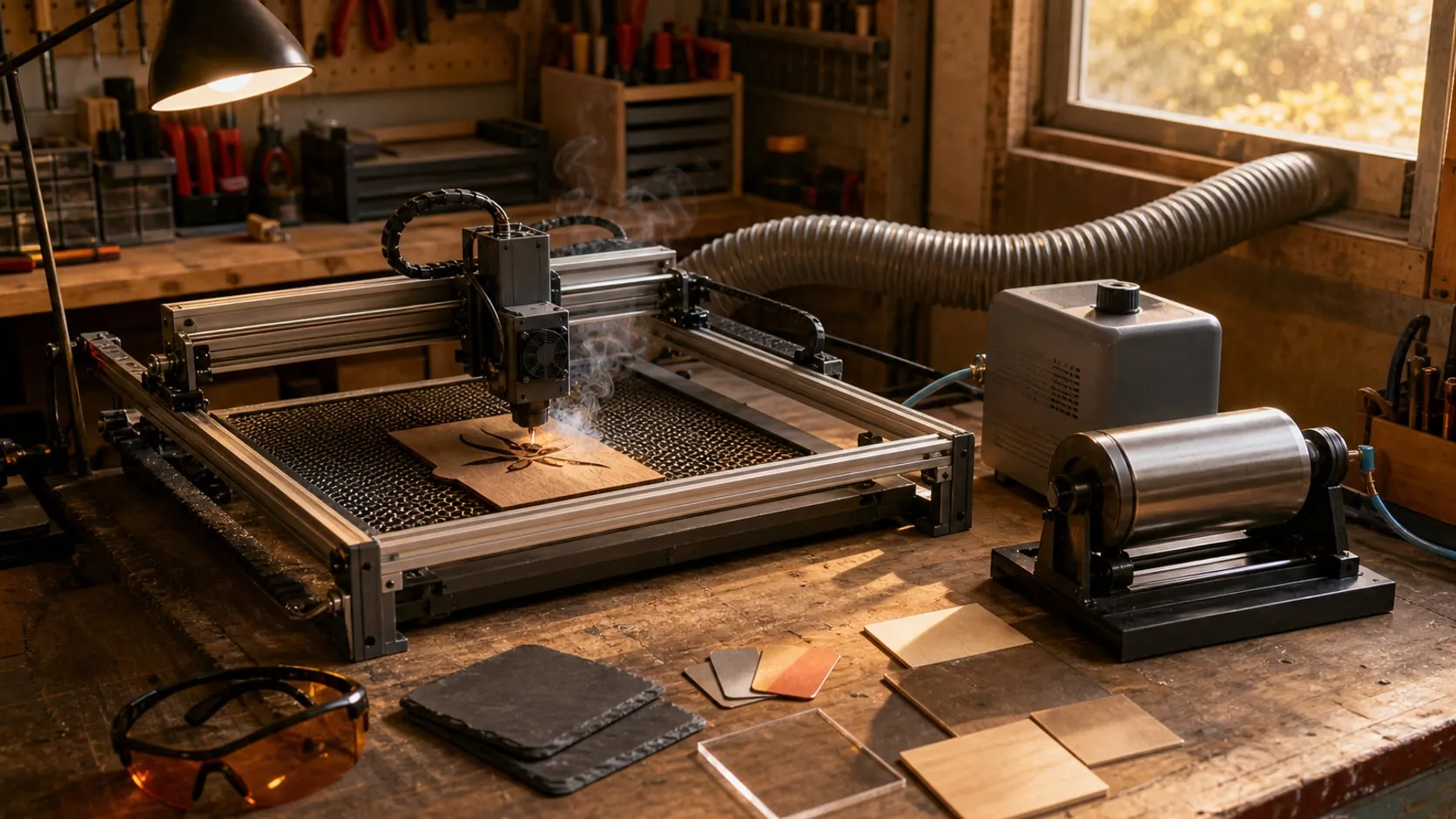
A honeycomb bed, air assist, rated safety glasses, an enclosure, a rotary and a material sampler — six add-ons that make a diode laser cleaner and safer.
Published November 8, 2026 · 6 picks
At a glance
6 picksAs an Amazon Associate I earn from qualifying purchases. If you buy through a link on this page we may earn a small commission, at no extra cost to you. How this works.
Creality Honeycomb Working Table, 500 x 500 mm
Lifts the work off the table, so cuts come out without soot on the back.
Cutting straight on a wooden table or a sheet of scrap has two problems. Smoke has nowhere to go but sideways, so it stains the underside of the piece, and the beam that makes it through starts burning whatever is below. A honeycomb bed fixes both: the work sits on thin aluminum walls, air moves under it, and the beam that passes through spreads out before it reaches the plate at the bottom.
Creality’s version is sized for the large work areas of current open-frame diode machines. It also gives the work a flat, repeatable surface, which helps when you place a second piece in exactly the same spot as the first.
Pro tip Brush the cells out every few jobs. Resin and ash that build up on the honeycomb walls get reheated by the next cut and leave brown marks on light woods.
Why we like it
- ✓8 mm honeycomb cells let air and smoke escape under the workpiece, which means less soot and flashback on the underside of a cut
- ✓Comes with a full-size aluminum plate that sits underneath, so a cut-through beam lands on metal, not on the table
- ✓500 x 500 mm (19.7 x 19.7 in) covers the work area of most open-frame diode lasers
- ✓Honeycomb is held by metal posts in a metal frame, which keeps it flat
Keep in mind
- !It raises the material, so the laser has to be refocused (or lifted) for the new height
- !At 8.8 lb and almost 20 in square it needs a frame big enough to stand over it — check your machine's footprint first
- !Tiny cut-out parts can drop into the cells; pin small jobs or leave tabs
- Size
- 500 x 500 mm (19.7 x 19.7 in)
- Cell size
- 8 mm
- Material
- Aluminum honeycomb, metal frame
- Included
- Aluminum base plate, same size
- Weight
- 8.8 lb
- Part number
- Creality 4005020009
ATOMSTACK F80 Air Assist Pump (10–60 L/min)
Blows smoke out of the cut, for cleaner edges and fewer flare-ups.
Without air, a diode laser cutting plywood leaves a pool of smoke and burning resin in the kerf. The beam has to push through it, the edges come out black, and the flame sometimes keeps going after the head has moved on. Air assist blows a narrow stream straight down the nozzle, through the point where the beam hits, and pushes all of that out of the way.
The F80 makes the most sense for anyone who cuts more than they engrave. The dial matters: high flow helps a cut, but on a light engraving it can scatter ash across the surface, so a gentle setting is better there.
Pro tip Keep the flow low for engraving photos on wood and turn it all the way up only for cuts. If an engraving looks dusty or streaky, lower the air before you change any laser settings.
Why we like it
- ✓Adjustable airflow from 10 up to 60 L/min, per ATOMSTACK, set with one dial
- ✓Low flow for engraving and full flow for cutting, from the same box
- ✓Aluminum housing on four rubber feet to cut vibration on the table
- ✓Air on the cut means less flaming, cleaner edges and less smoke on the lens
Keep in mind
- !Only works if your laser module has an air-assist nozzle and a hose fitting
- !It's another machine running next to the laser — it adds noise
- !The listing doesn't give a working noise level or hose size, so check your fitting before ordering
- Airflow
- 10–60 L/min, adjustable
- Housing
- Aluminum
- Feet
- 4, rubber
- Control
- Dial (off to max)
- Weight
- 4.3 lb
- Model
- ATOMSTACK F80
FreeMascot Professional OD 6+ Laser Safety Glasses (190–490 nm)
OD 6+ wrap-around glasses for the blue diode band, reflections from the side included.
The dot on the bed of a diode laser is a few watts of blue light, and it doesn’t have to hit you directly to do harm: reflections off metal, glass or even glossy wood scatter in every direction. A blue diode is also bright enough that the blink reflex isn’t fast enough. Rated glasses for the right wavelength are the one accessory on this list that isn’t optional with an open-frame machine.
What matters is the number printed on the lens: wavelength range and OD. These cover 190–490 nm at OD 6+, which includes the blue diodes in most hobby engravers. The wrap-around shape is the reason to choose this pair over a flat-front one — reflections arrive from the side as often as from the front.
Pro tip Glasses are for watching, not for staring. Even with OD 6+ lenses, don’t look straight at the burning point for a long time — watch the job, not the dot.
Why we like it
- ✓OD 6+ across 190–490 nm, which covers the common 445 and 450 nm blue diode wavelengths
- ✓EN207 marking listed, the European standard for laser safety eyewear
- ✓Wrap-around frame closes off the sides, where stray reflections come from
- ✓Light (about 4 oz) for wearing through a long job
Keep in mind
- !No protection for CO2 (10,600 nm) or fiber/IR (1064 nm) lasers — check the wavelength of your machine
- !55% visible light transmission and a strong tint — the room looks darker and colors look off
- !One pair only; anyone else in the room needs their own
- Wavelength
- 190–490 nm
- Optical density
- OD 6+
- Standard
- EN207 (per listing)
- Visible light transmission
- 55%
- Lens
- Polycarbonate
- Frame
- Plastic, wrap-around
- Weight
- 3.9 oz (0.11 kg)
Creality Laser Engraver Enclosure (V1.0) with Exhaust Fan
Keeps smoke, smell and stray light in the box and sends the fumes out a window.
Burning wood smells like a campfire; burning leather and acrylic smell a lot worse. An open-frame laser lets all of that into the room, and a desk fan only moves it around. An enclosure puts the laser in a tent and a small fan pulls the air out through a duct, so the smoke leaves the house instead of settling in it.
It also makes the machine safer for everyone else: the tinted window holds back most of the stray blue light, the cover keeps out pets and curious hands, and it collects the dust that would otherwise settle on the rails. Measure the outside of your laser’s frame, including any rotary or risers, before you order.
Pro tip Keep the duct run short and straight — every bend and every extra foot slows the airflow. And never leave a cutting job alone just because it’s under a cover; a fabric tent doesn’t stop a flare-up.
Why we like it
- ✓700 x 720 x 400 mm (27.5 x 28.3 x 15.7 in) inside, tall enough for a rotary under the laser
- ✓Exhaust fan and duct included, to pull smoke out through a window
- ✓Large tinted window for watching the job without opening the cover
- ✓Creality lists it for xTool D1/D1 Pro, Falcon, Ortur, Sculpfun and ATOMSTACK machines
- ✓Fabric and frame pack down (about 5 lb) when not in use
Keep in mind
- !The duct has to go outside to work — a window adapter or wall vent is up to you
- !The window has no OD rating; Creality says it filters blue light, but wear rated glasses whenever the cover is open
- !Fabric over a frame of tubes, not a rigid box — the pipe joints need care during assembly, per Creality
- Inside size
- 700 x 720 x 400 mm (27.5 x 28.3 x 15.7 in)
- Ventilation
- Exhaust fan, duct and flange
- Window
- Tinted, front and top
- Weight
- 5 lb
- Model
- Creality laser cover (V1.0)
Longer Laser Rotary Roller (Y-axis)
Turns cups, bottles and wine glasses under the laser so a design wraps around them.
A flat-bed laser only knows X and Y. A rotary takes over Y: instead of the head moving toward you, the rollers turn the object under it, and a logo wraps around a cup or a glass. Rollers are the friendly kind of rotary — the object just rests on them, there’s no chuck to tighten on a thin glass wall.
Longer’s version solves the usual compatibility headache with two cables, and the stem support makes it practical for wine glasses, which a plain two-roller rotary can’t hold level. The frame is long enough for bottles and rolling pins, too.
Pro tip Before the real engraving, run the job once at very low power on masking tape wrapped around the cup. If the design comes out stretched or squashed, the rotary’s step setting in the software is wrong — fix that first.
Why we like it
- ✓Two cables in the box — white for Longer RAY5 and B1 and, per Longer, about 80% of engravers; black for the rest
- ✓Steel frame with 70A rubber rollers for grip on smooth glass and metal
- ✓Scale and grooves on both sides help set the rollers parallel
- ✓Support for a wine glass stem, so stemware lies level on the rollers
Keep in mind
- !The laser has to be raised (risers or longer legs) to clear the rotary and the object on it
- !Connector compatibility is a "most machines" claim — check your controller's Y port before you plug in
- !Tapered cups have to be shimmed level, or the design slants
- Drive
- Y-axis rotary, rubber rollers
- Rollers
- 70A rubber
- Frame
- Steel
- Connectors
- White and black
- Size
- 13.6 x 9.8 x 4.1 in
- Weight
- 3.2 lb
Dunzoom 252-Piece Laser Material Kit
Eight materials in small pieces, for finding the right settings before a real project.
Every material reacts to a laser differently, and the only way to find the right power and speed is to burn a test. Buying a full sheet of acrylic, a hide of leather and a box of slate coasters just to learn costs more than the first few projects are worth. A mixed kit gives you a few pieces of each, so you can try them all in an afternoon.
Treat it as a test lab rather than a project supply. Engrave a small grid of power and speed settings on each material, write the winning numbers on the back of the piece, and you have a reference shelf for later.
Pro tip Only laser what you can identify. Faux leather, rubber and some plastics can contain PVC, which gives off chlorine gas when burned and corrodes the machine. If a piece isn’t labeled, leave it out.
Why we like it
- ✓252 pieces across 25 item types and 8 materials — acrylic, metal, wood, fabric, PU leather, glass, stone and rubber
- ✓Small items like tags, keychains and coasters are cheap to ruin while you learn
- ✓One box answers "will my laser mark this?" for most common materials
Keep in mind
- !The listing gives no wood species, thicknesses or metal finish, so settings won't transfer one-to-one to other stock
- !Bare steel and clear glass usually need a marking spray or coating for a blue diode to leave a mark
- !A kit of many small things — quality varies more than with a single material from one maker
- Pieces
- 252
- Item types
- 25
- Materials
- Acrylic, metal, wood, fabric, PU leather, glass, stone, rubber
- Weight
- 6.8 lb
- Model
- GON-Dunzoom-220